Most teams discover their creative pipeline is the real bottleneck during the revision cycle, not from the first prompt. From our experience in the startup ecosystem, the biggest gains come from operational decisions like when to train a LoRA for brand style, how to encapsulate node graphs into reusable subgraphs, and which models to route tasks to, for example Veo for video, Flux for photorealism, Ideogram for typography. The momentum behind this market is real, with worldwide generative AI spending forecast to hit $644 billion in 2025, according to Gartner's March 31, 2025 outlook. After analyzing multiple platforms, we narrowed down to four that consistently balanced speed, control, and team workflows so you can reduce trial and error and cut costs without sacrificing output quality.
Today's landscape is noisy, so we compared suite depth, model breadth, workflow composability, pricing clarity, and deployment flexibility across various tools. After test projects and teardown reviews, we selected four standouts because they cover the spectrum from open-source control to collaborative infinite canvases. You will learn which suite fits your team, how to budget using current GPU or seat pricing, and where early adoption risk exists, for example recent acquisitions and roadmap changes, backed by third-party sources like TechCrunch, The Verge, and AWS.
Krea
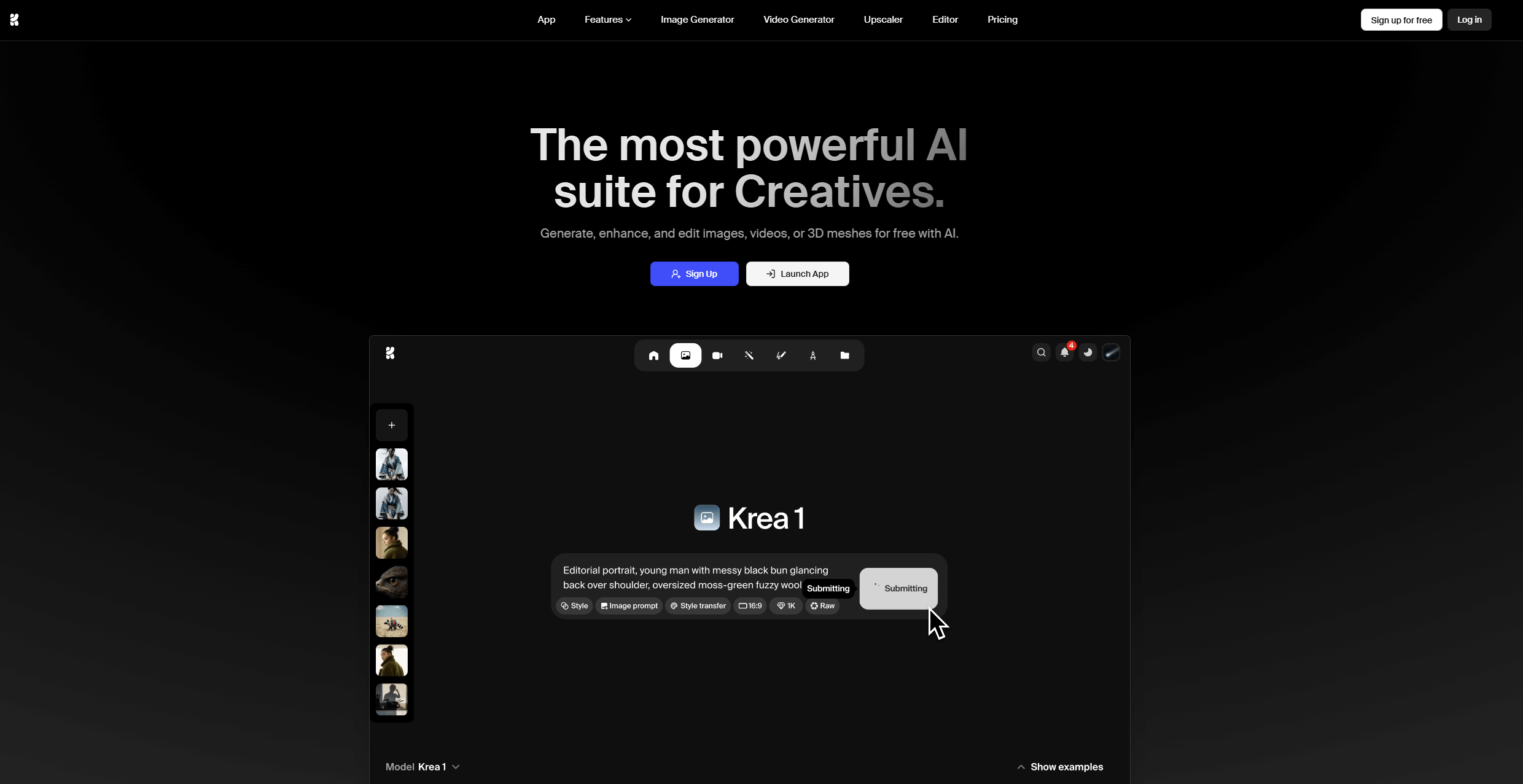
All-in-one creative suite focused on speed and control for images and video, with model training and granular enhancement tools. According to vendor documentation, it offers real-time generation, upscaling to very high resolutions, and custom LoRA training.
Best for: Designers and marketers who want fast iteration, integrated upscaling, and optional custom model training without juggling multiple apps.
Key Features:
- Real-time image and video generation with model routing across leading providers
- Image upscaling and video upscaling with frame interpolation
- LoRA fine-tuning for faces, products, and styles
- Generative editing for add/remove objects, lighting, and style changes
Why we like it: The tool shortens "prompt to polished asset" time by combining generation, enhancement, and training in one place, which reduces context switching and saves budget on separate upscalers.
Notable Limitations:
- Output consistency can vary across complex scenes or architectural renders
- Peak-time slowdowns reported by some users
- Text and logo fidelity still lags specialist typography models in certain cases
Pricing: Third-party trackers list tiers at $10, $35, and $60 per month, with enterprise on request. Verify current pricing on G2's Krea pricing page or Techjockey's Krea pricing listing.
ComfyUI
Open-source, node-based workflow engine for building image, video, 3D, and audio pipelines. It is widely adopted by creators and researchers, and it supports an ecosystem of custom nodes.
Best for: Teams that want full-stack control, on-prem or air-gapped deployment, and composable workflows that outlive model churn.
Key Features:
- Visual node graph workflows with reusable subgraphs and JSON-serializable graphs
- Large custom-node ecosystem covering ControlNet, upscalers, and animation
- Research and community momentum with frequent feature extensions
- Runs locally or on your own cloud for maximum data control
Why we like it: It offers unmatched transparency, letting you inspect every sampler, VAE, and scheduler, then package pipelines into repeatable building blocks for production.
Notable Limitations:
- Steeper learning curve than prompt-only tools
- Switching base models often requires multiple node and parameter updates
- No official commercial support unless you hire consultants or use managed wrappers
Pricing: Free and open source. See background context on adoption and feature scope in ComfyUI's Wikipedia entry.
Flora AI
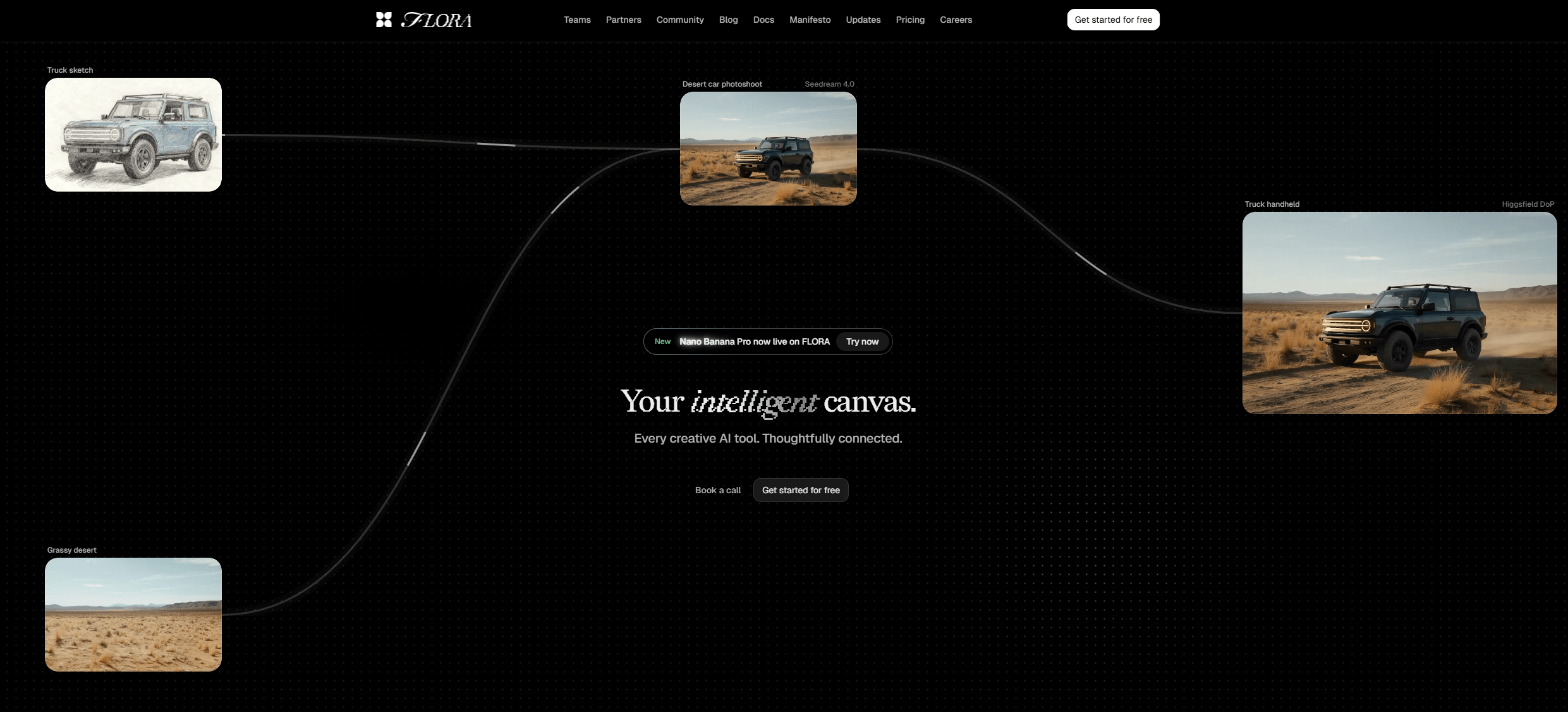
An infinite canvas that integrates text, image, and video models into a collaborative workspace. It is designed to branch ideas visually, compare variations, and convert explorations into reusable flows.
Best for: Agencies and creative teams that storyboard campaigns, compare model outputs side by side, and want collaborative review without leaving the canvas.
Key Features:
- Infinite canvas with drag-and-drop multimodal blocks
- Team workspaces, collaboration, and style consistency tools
- Reusable workflows for scaling one concept into many deliverables
- Credit-based model access across dozens of providers
Why we like it: It helps teams go beyond one-off prompts by mapping the creative decision tree, which makes revisions and stakeholder input faster and less subjective.
Notable Limitations:
- Learning curve for node-style thinking
- Occasional glitches and variable generation speeds cited by reviewers
- Public API coverage is limited compared to open frameworks
Pricing: Professional pricing starts at $16 per seat per month, per TechCrunch's product profile of Flora. Recent third-party listings also show tiered, credit-based plans, see a summary on SaaSworthy's Flora pricing page.
Weavy
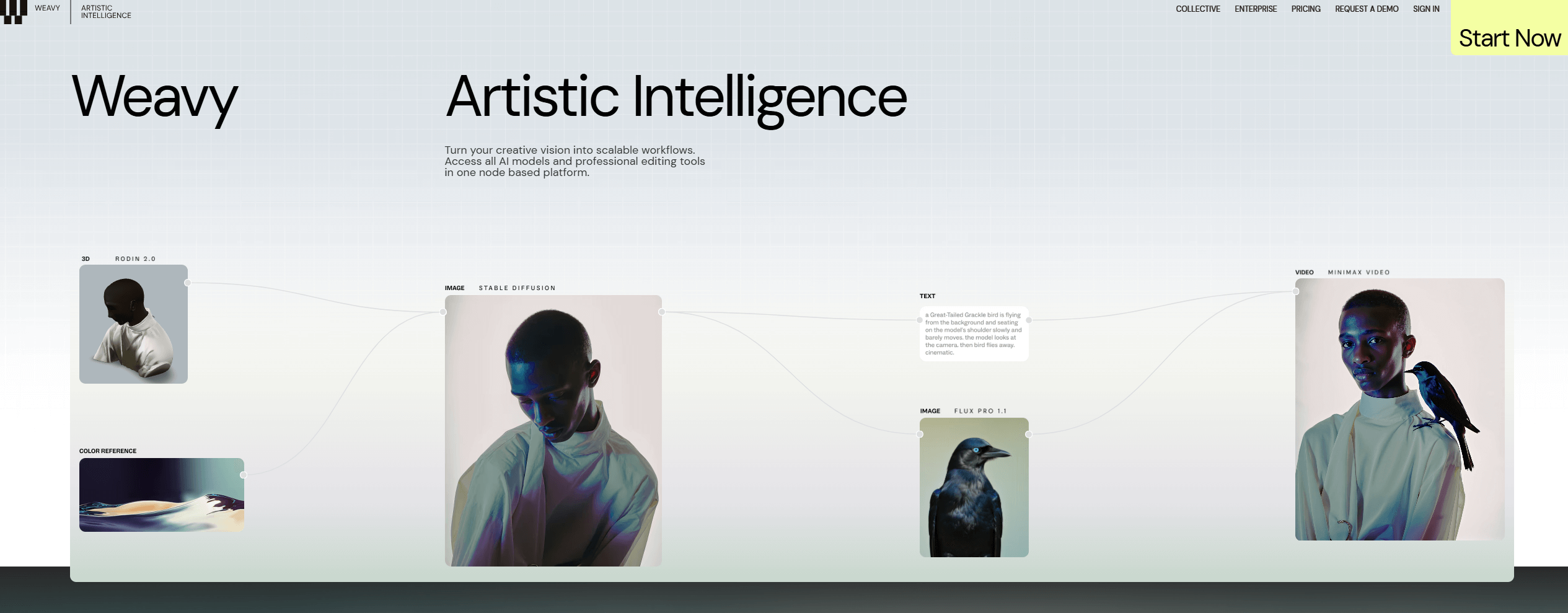
A node-based creative platform that links multiple AI models with pro-grade editing tools in a single canvas. It emphasizes branching, remixing, and refining outputs.
Best for: Design teams already in the Figma ecosystem that want model mixing plus layered editing in one place.
Key Features:
- Node-based workflows to compare or combine model outputs
- Professional editing tools for image and video on a shared canvas
- Branch, remix, and refine outputs without app switching
Why we like it: It brings model diversity and editing into one surface, which can reduce the back-and-forth between generation apps and NLEs for social and product visuals.
Notable Limitations:
- Acquisition risk and rebranding - roadmap may change under the new parent
- Availability and packaging are evolving as integration proceeds
- On-prem options are not publicly documented
Pricing: Pricing not publicly available. Weavy was acquired by Figma on October 30, 2025 and is being integrated as "Figma Weave," as reported by TechCrunch and The Verge.
AI Creative Suites Tools Comparison: Quick Overview
| Tool | Best For | Pricing Model | Free Option |
|---|---|---|---|
| Krea | Fast image and video creation with training | Subscription tiers, enterprise | Yes, limited |
| ComfyUI | Max control, on-prem, pipeline reuse | Open source | Yes |
| Flora AI | Team ideation and canvas-first workflows | Credit-based per seat | Trial credits |
| Weavy | Figma-centric creative pipelines | TBD after acquisition | TBD |
AI Creative Suites Platform Comparison: Key Features at a Glance
| Tool | Feature 1 | Feature 2 | Feature 3 |
|---|---|---|---|
| Krea | Real-time image, video | High-res upscaling | Custom LoRA training |
| ComfyUI | Reusable subgraphs | Custom-node ecosystem | Local or air-gapped runs |
| Flora AI | Infinite canvas | Team collaboration | Reusable flows at scale |
| Weavy | Multi-model branching | Layered editing tools | Single-canvas review |
AI Creative Suites Deployment Options
| Tool | Cloud API | On-Premise | Integration Complexity |
|---|---|---|---|
| Krea | Yes | No public option | Low, web-first |
| ComfyUI | Via community nodes, self-host | Yes | High, technical setup |
| Flora AI | Yes | Not documented | Medium, team onboarding |
| Weavy | Within Figma Weave roadmap | Not documented | Medium, Figma stack alignment |
AI Creative Suites Strategic Decision Framework
| Critical Question | Why It Matters | What to Evaluate | Red Flags |
|---|---|---|---|
| Do we need on-prem or air-gapped? | Compliance and IP risk control | Local runtimes, license terms, telemetry | Cloud only when data cannot leave site |
| How stable is the vendor roadmap? | Avoid rework and tool churn | Funding, acquisitions, public roadmap | Recent acquisition with unclear packaging |
| Can we enforce brand consistency? | Cuts revisions and reshoots | Style training, prompt templates, reference control | No training, weak typography or color control |
| What is our true unit cost? | Prevent overruns | Credit burn per model, GPU hour rates | Hidden throttles, unclear billing |
AI Creative Suites Solutions Comparison: Pricing & Capabilities Overview
| Organization Size | Recommended Setup | Monthly Cost | Annual Investment |
|---|---|---|---|
| Solo creator | Krea Basic or Pro for fast assets, ComfyUI locally for deep control | Krea tiers from $10 to $35, ComfyUI free, optional cloud GPU hours as needed | Example, 50 H100 GPU hours for R&D at about $3.90 per hour is roughly $195, based on AWS P5 pricing |
| Small team, 5 seats | Flora Pro seats for collaboration, Krea Pro for finishing, ComfyUI for custom workflows | Flora from $16 per seat per month, Krea Pro at $35 per seat on G2 | Seat-based, plus optional GPU budget if self-hosting |
| Studio, 20 seats | Flora Agency for higher credits, Krea Max for heavy output, ComfyUI nodes on a managed server | Flora Agency from $48 per seat, Krea Max at $60 per seat on third-party trackers | Add GPU capacity planning |
| Enterprise | ComfyUI on-prem with policy controls, Flora Enterprise, Krea enterprise, monitor Figma Weave roadmap | Contact vendors, GPU hours budgeted at current market rates, for example approximately $3.90 per H100 GPU hour on AWS P5 | Custom, aligns with security, SSO, and SLA needs |
Notes: Cloud GPU examples use AWS on-demand H100 rates, approximately $3.90 per GPU hour as of November 2025. Seat pricing reflects third-party listings and news, always confirm before purchasing.
Problems & Solutions
Problem 1: "We need brand-consistent visuals across dozens of deliverables."
- Krea, Solution: Train LoRAs on products or talent, then route prompts to the right model and upscale in the same suite. Krea's funding profile describes a one-stop creative platform that spans stills and video, with plans for deeper media tools.
- ComfyUI, Solution: Encode your pipeline as a reusable node graph and package steps into subgraphs, which the community announced in 2025, making brand-safe templates easier to reuse, see discussion in r/ComfyUI.
- Flora AI, Solution: Map concepts on an infinite canvas and reuse flows to scale one idea into many outputs.
- Weavy, Solution: Branch and remix outputs from multiple models on one canvas with pro editing to match mood boards faster.
Problem 2: "Video generation is exploding our budget."
- Context: Cloud GPU costs dropped in mid 2025, for example AWS cut H100 instance pricing by up to 45 percent.
- Krea, Solution: Compare cost, speed, and quality across supported video models before committing, then upscale only finals.
- ComfyUI, Solution: Run local or reserved cloud nodes, swap models and samplers in the graph to meet time or budget targets, and cache steps to avoid reruns, see ComfyUI adoption context on Wikipedia.
- Flora AI, Solution: Use its credit-based tiers to cap spend while collaborating on the same canvas.
Problem 3: "We must keep assets in-house for compliance."
- ComfyUI, Solution: Run fully on-prem or in an air-gapped environment, with a large OSS ecosystem to replace cloud-only steps, adoption and ecosystem discussed in Wikipedia and research that builds on ComfyUI pipelines, for example ComfyGPT on arXiv.
- Krea and Flora AI, Constraint: Designed as cloud suites, verify your data processing needs before production.
- Weavy, Constraint: Now part of Figma Weave, expect primary availability in Figma's cloud.
Problem 4: "Our team is struggling with node-based tools."
- ComfyUI, Issue: Users report friction when switching model families and configuring VAEs or schedulers, see feedback in r/ComfyUI.
- Flora AI, Issue: Reviewers cite a learning curve and occasional glitches, with speed varying by model, per a recent review roundup on DigitalizeLife.
- Krea, Issue: Some users report peak-time slowdowns and mixed results on certain tasks like hard-surface or architectural detail, see community feedback in r/archviz and mixed-tool tests on All About AI.
The Bottom Line
If you want pure control, on-prem, and reproducible pipelines, start with ComfyUI, then wrap it with templates to reduce the learning curve. If your priority is speed to polished assets with built-in upscaling and training, Krea continues to deliver strong value validated by its product scope and ecosystem momentum. For collaborative ideation and client review on a canvas, Flora AI’s infinite workspace fits how teams actually work. Finally, if your design org is already in Figma, monitor the rollout of Figma Weave following the Weavy acquisition.
The broader market tailwind remains strong - worldwide AI spending (including generative AI) is forecast to exceed $2 trillion in 2026, growing roughly 36-44 percent year over year despite some organizational hesitancy and implementation challenges. According to Gartner’s January 2026 outlook, this reflects continued investment in AI infrastructure, platforms, and applied use cases across enterprises.
This macro trend indicates that companies are still allocating significant budget toward AI infrastructure, tools, and services - even as many teams grapple with ROI and governance - making now a crucial time to pick the right suite to lock in compounding workflow gains for the next 12-24 months.