
OpenClaw will run a shell on the machine that hosts it, unless you flip the sandbox on. That is the install default, and it is why founders who want the same personal agent look for a box, a deny-by-default gateway, or vaulted credentials before they connect another chat app.
OpenClaw in 2026 is still the self-hosted assistant that lives in your chat apps. One Gateway (the local process between those apps and the agent) talks to WhatsApp, Telegram, Discord, Slack, Signal, and iMessage, and to tools for files, shell, browser, cron, and memory. It is built for one trusted operator. If several untrusted people can message one tool-enabled agent, they share that agent's tools. You may still see the older names clawdbot and Moltbot.
The usual brief is already living in Telegram or WhatsApp, wanting one agent that can touch files, and refusing to let that agent inherit the whole machine by default. Host-first is the install default. Sandbox is opt-in. That is the stay-or-leave test.
CVE-2026-25253 was a Control UI issue: a crafted page could make the dashboard pick up a gateway URL from the query string and send the auth token over a WebSocket (a CSWSH, or cross-site WebSocket hijack). It is patched in v2026.1.29, and the UI now asks you to confirm a new gateway URL. OpenClaw's maintainer said on Hacker News this was privilege-escalation, but not a bug that lets any random Telegram or Discord message own every instance. A later pairing issue is a separate advisory, also patched. Pairing means you approve a new chat identity before it can talk to the agent.
We start with four you run yourself, including a wrap that keeps OpenClaw. Then three that move the sandbox off your laptop. Nanobot is the smaller Python agent operators keep naming.


You are on OpenClaw
These first four stay on hardware you operate.
NanoClaw
NanoClaw is a self-hosted personal agent that puts every active session in its own Docker container and keeps raw API keys out of that container. A Node host routes chat. Each session is an unprivileged container with an allowlisted mount table. Your home directory stays off that list unless you add it. By default outbound HTTPS goes through OneCLI's Agent Vault (a sidecar that injects credentials at request time, so the container never holds the raw secret). If the vault cannot be wired, the session does not start.
Best for: Founders who want OpenClaw's chat-and-files job with a per-session container and vaulted keys as the install default.
Key features:
- Every active session gets its own unprivileged Docker container.
- Extra mounts are denied unless you allowlist them, so the default filesystem stops at the session and group directories.
- Credentials stay in the Agent Vault. A compromised session has workspace files. It does not have live API keys.
- Optional egress lockdown that fails closed.
Why we like it: The box and the vault are on before you harden anything. OpenClaw makes you perform that switch by hand.
Notable limitations:
- You still operate Docker and a Node host.
- Egress lockdown is optional. Leave it off and the container can still dial out.
- Model usage is whatever Claude, Codex, OpenCode, or local Ollama you point it at.
Pricing: NanoClaw is MIT and free to run. There is no NanoClaw SaaS price. Provider usage is separate.
Hermes Agent

Hermes Agent is Nous Research's self-hosted personal agent. You get a CLI, a desktop app, and twenty-plus chat channels, with a default approval layer on dangerous shell patterns and optional container backends. The messaging gateway denies unknown users unless you set an allowlist or pairing. On the same Hacker News thread as the OpenClaw advisory, one operator said they were using Hermes, and that the rule is the same for every agent: don't give it free reign over all your stuff, run it in a sandbox.
Best for: Founders who want deny-unknown DMs and approval gates, and who will move the terminal backend off the host.
Key features:
- A fresh gateway refuses stranger DMs until you add an allowlist or pairing.
- Dangerous shell patterns wait for approval. A timeout means no.
- A hardline blocklist still fires when you turn the loose mode on, and writes to credential paths are blocked.
- A Docker backend drops capabilities and treats the container as the boundary.
Why we like it: Unknown chat users are closed by default, which is a different first hour than OpenClaw's trusted-operator host exec.
Notable limitations:
- The default terminal backend is still local. Containment is real only after you switch it to Docker or Modal (a hosted container backend).
- Isolated backends skip host command checks because the container is now the boundary. Set that backend on purpose.
- Don't open the gateway to every user.
Pricing:
- The agent is open source. Bring your own provider keys and skip the Portal.
- Nous Portal Free is $0, on free models.
- Plus is $20 a month, with $22 in credits.
- Super is $100 a month.
- Ultra is $200 a month.
ZeroClaw
ZeroClaw Labs is a single Rust binary for the same personal-agent job, with supervised autonomy on by default and OS-level sandboxes. Each agent points at a risk profile. Low-risk tools run. Medium-risk tools ask. High-risk tools block. Approval timeouts fail closed. ZeroClaw Labs is the only official project. Other domains that claim the name are unauthorized.
Best for: Founders who want a Rust binary, supervised autonomy out of the box, and OS sandboxes without a second NVIDIA layer.
Key features:
- Supervised autonomy is the default, so a stock agent stops for writes and unknown shell.
- Workspace-only path rules and command allowlists live on the same risk profile.
- OS sandboxes such as Landlock and Bubblewrap on Linux, Seatbelt on macOS, plus Docker, and an experimental Windows path.
- Secrets are not auto-passed into the shell environment. A YOLO switch is an explicit escape hatch that turns supervised mode off.
Why we like it: You get the stop-and-ask behavior at install, plus a real OS box, without wrapping OpenClaw in something else.
Notable limitations:
- That YOLO switch is still there if you turn it on. Treat that as leaving supervised mode.
- Bring your own model provider. There is no paid product.
- If a site only claims the ZeroClaw name, skip it and stay on the Labs docs.
Pricing: Dual MIT or Apache-2.0. No paid product on the Labs docs. You pay the model provider.
NVIDIA NemoClaw
NVIDIA NemoClaw is a reference stack that runs OpenClaw (the default), Hermes, or a LangChain agent inside NVIDIA OpenShell sandboxes (the sandboxed runtime under NemoClaw) with managed inference and network policy. It is a containment layer, not a replacement. You keep OpenClaw's product. You change the box.
Best for: Founders whose OpenClaw or Hermes workflow is fine and the gap is containment.
Key features:
- Guided onboarding, blueprints, snapshots, and sandbox hardening.
- Network policy with operator approval for egress. A fresh OpenShell sandbox stays dark until you allow a method, and POST can stay denied.
- Credentials are injected as providers and do not land in the sandbox filesystem.
- Runs on NVIDIA DGX boxes and on Windows Subsystem for Linux.
Why we like it: Stay-and-wrap is an honest lane. A comment on that same Hacker News thread called NemoClaw an OpenClaw security wrapper. That matches the company story.
Notable limitations:
- It is alpha. Report vulnerabilities to NVIDIA's product security team. Do not file a public issue.
- You still need OpenClaw (or Hermes) underneath. This is not a new assistant brand.
- Inference is whatever NVIDIA or routed provider you configure.
Pricing: Apache-2.0. No public NemoClaw price on the NemoClaw docs. If you buy the NVIDIA stack, treat packaging as Custom.
These next three run the agent in a vendor or team box.
TrustClaw
TrustClaw is Composio's self-hostable personal assistant. It talks on the web or Telegram, uses OAuth tools, and runs code in a remote sandbox instead of on your laptop. No raw API keys are handed to the agent. Composio brokers the OAuth. There is no long-lived local shell. It is contained, not offline-only. You do give Composio, Vercel, and an AI gateway a role in the trust path.
Best for: Founders who don't want a laptop shell at all. OAuth tools and a remote sandbox are enough.
Key features:
- Code execution is a remote sandbox, so the agent never gets full-machine access on your laptop.
- No raw API keys handed to the agent. Vaulted, delegated credentials are the product.
- Sign-in is username and password, with an audit log of actions and one-click revocation.
- One-line deploy or a Vercel template. Model calls can go through Vercel's router, so you do not paste an Anthropic or OpenAI key into TrustClaw.
Why we like it: This is the strongest no-full-machine-access default on the list. You leave the local-only threat model on purpose.
Notable limitations:
- The trust path includes Composio, Vercel, and the model router, so the threat model is no longer a box on your desk.
- Vercel Hobby cron runs once per day, and functions cap at 300 seconds, so long unattended jobs can stall on the cheap host.
- You still need a Composio account.
Pricing: TrustClaw itself is MIT. There is no TrustClaw seat price. Composio Free is $0 with 100K tool calls a month, hard-capped. Pro is $29 a month plus overage. Enterprise is Custom. Model calls ride Vercel's router.
Claude Cowork

Claude Cowork is Anthropic's personal and work agent. Cloud sessions run in a disposable sandbox on Anthropic's servers. Local code runs in a hypervisor VM. Folder access and deletions are permission-gated. Computer use (Claude driving the desktop you can see) is folded into the same product, and it is the exception: there is no sandbox between Claude and what is on your screen.
Best for: Founders who already pay for Claude and want a vendor-run sandbox. Keep computer use off for anything sensitive.
Key features:
- Cloud sessions get an isolated temp sandbox, no private or link-local or metadata addresses by default, a mandatory egress proxy, and short-lived tokens. Connector tokens never enter the sandbox.
- Local sessions respect folder permissions. Shell and code run in an isolated Linux VM on the Mac or on Windows.
- Deletion always asks. Automatically approve still screens actions. Skip all approvals turns that screen off.
- Computer use adds per-app approval and an app blocklist.
Why we like it: A Cowork coding turn cannot pivot into your LAN the way a host-first OpenClaw exec can, because the cloud sandbox is the default.
Notable limitations:
- Computer use has no sandbox between Claude and the screen. Anthropic says do not use it on health, finance, or personal-record apps.
- The Free plan does not include Cowork.
- Local sessions still live on your device. The VM holds the shell. The desktop computer-use path does not.
Pricing: Cowork is included on paid Claude plans. It is not a separate plan.
- Pro is $20 a month, or $17 a month billed annual.
- Max starts at $100 a month.
- Team Standard is $20 per seat annual, or $25 billed monthly.
- Team Premium is $100 per seat annual, or $125 monthly.
- Enterprise is $20 per seat plus usage, or Contact sales.
OneCLI
GitHub gem Vault plus sandbox
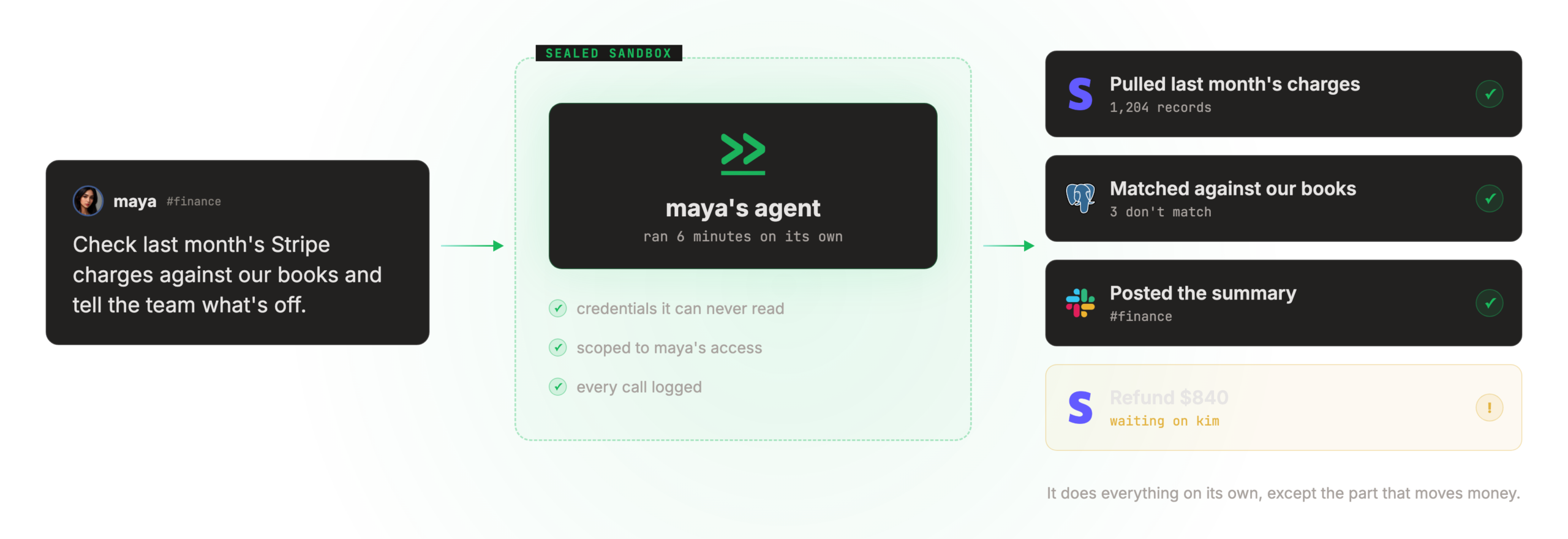
OneCLI is a team-oriented sandboxed personal agent plus a credential gateway. The agent never holds a real password. Each person gets an isolated sandbox (an isolated VM per employee on the cloud story). The only egress is a Rust gateway that injects secrets at request time. Policy sits outside the model.
Best for: More than one person will use the agent, and you want deny lists, rate slowdowns, and human approval for sends and deletes as product features.
Key features:
- Isolated VM per employee on the cloud path, with a runner that is outbound-only.
- The gateway enforces grants on every request. Credentials the agent never sees, including on-demand injection from Bitwarden or 1Password.
- Deny lists, rate slowdowns, and human approval for sends and deletes live outside the model, so a prompt cannot talk them away.
- The core is Apache-2.0. The commercial bits sit on an Enterprise license.
Why we like it: Enforcement outside the model is the only limit that holds, so deny-by-default and approval-gating are the product.
Notable limitations:
- Team and Scale are bring-your-own-cloud. The isolated VM is the cloud story.
- OneCLI's plans put full self-host on Enterprise. The Apache-2.0 core is still something you can run in production.
- This is a team product. A single founder who only wanted a Telegram agent will feel the extra surface.
Pricing:
- Trial is $0 for 7 days with $5 in AI credits, and they do not ask for a payment method.
- Team is $149 a month for 5 users and 10 agents, bring your own cloud.
- Scale is $499 a month for 10 users and 20 agents, bring your own cloud. Extra seats are $49 per user per month.
- Enterprise is Custom.
Nanobot
Reddit pick From r/sysadmin
Nanobot is the pick from an r/sysadmin thread about OpenClaw exposure. One comment said to check it out: it's Python, a lot smaller, and isn't a pain in the ass to run in an isolated Docker environment, with MCP tools (the Model Context Protocol interface) as a bonus. Exposure numbers in that thread are disputed. We're not repeating them.
Best for: Founders who want a smaller Python agent and will put it in Docker themselves.
Key features:
- Python, and smaller than OpenClaw, per the operators who named it.
- People run it in isolated Docker, which is the community motion. The security docs do not show it as the install default.
- MCP tools sit on the same agent.
Why we like it: Operators named it in the thread people actually posted in. It is a smaller Python agent for people who will isolate it themselves, not a security-first default.
Notable limitations:
- No listed alternative shows a stronger default sandbox than OpenClaw. Isolation is on you.
- It is a live project with a thin public security story. Do not treat the Reddit comment as a substitute for a threat model.
Pricing: No public paid product. Bring your own model.
Stay on OpenClaw or pick a lane
| If you need | Use |
|---|---|
| WhatsApp, Telegram, Signal, or iMessage, plus skills and cron, and you will harden | Stay OpenClaw |
| The same job, with a per-session container and vaulted keys | NanoClaw |
| A Rust binary, supervised autonomy, and OS sandboxes | ZeroClaw Labs |
| Deny-unknown DMs, and you will set Docker or Modal | Hermes Agent |
| No laptop shell, OAuth tools, a remote sandbox | TrustClaw |
| A vendor-run sandbox, and you already pay for Claude | Claude Cowork |
| More than one person, with policy, vault, and human approval | OneCLI |
| The OpenClaw workflow, with a harder box around it | Stay wrap with NemoClaw |
| A smaller Python agent, and you will isolate it yourself | Nanobot |
| Microsoft 365 Frontier, Intune, and a Copilot license | Scout exists. It is not a typical founder install. |
Leave OpenClaw when you want a box and vaulted keys as the install default, or when you don't want a laptop shell at all. Stay when you already live in the chat apps, you want skills and cron, and you'll actually bind the Gateway to loopback, keep pairing on, run the security audit, and turn the sandbox on. If the workflow is fine and the gap is the boundary, wrap it with NemoClaw. Skip any domain that only claims the ZeroClaw name. Microsoft Scout stays off this runnable list unless you're already on Frontier.
Frequently asked questions
Is the sandbox on by default?
No. Host-first is the default. Stay if you will actually turn the sandbox on, bind the Gateway to loopback, and keep pairing. Leave if you want a per-session container and vaulted keys as the install default.
Does a wrap that keeps the Gateway count as leaving?
No. That is hardening the same workflow. Leave when you want a different binary, a hosted laptop-free agent, or a team product with policy and human approval.
Can more than one person share the agent safely?
Not as the stock personal install. Untrusted DMs that can reach tools share those tools. A team plan with a vault and approval, or deny-unknown gates you will actually run, is the other lane.
Should a patched CVE make me uninstall?
Not by itself. Confirm you are on v2026.1.29 or later, keep pairing on, and treat a later advisory as a separate check. A Reddit thread is not that check.
 Written by StartupStash
Editorial team
StartupStash is an editorial team. Each Top Tools shortlist is researched by a writer who works in that category, then checked against first-party product pages and public prices before it goes live.
 Reviewed by Manaal
Content Manager, Startup Stash
Reads the shortlist, the priced claims, and the sourcing before a piece goes live.
How this page is checked
We read first-party product pages, dated changelogs, and AWS Marketplace when a listing exists. Catalog counts stay vendor claims.
