
Let’s be honest. Building AI applications in 2026 still feels harder than it should. Teams juggle multiple model providers, vector stores, agent frameworks, and deployment targets, while product leaders keep asking when the “AI layer” will be production ready. Instead of spending time on user value, engineers lose weeks stitching together infrastructure, debugging brittle integrations, and reworking choices made too early. The issue is no longer a lack of tools, but the cost of picking the wrong ones. After evaluating and using dozens of AI development platforms, a clear pattern emerges: most teams burn time on platforms that look powerful on paper but fail to reduce real complexity in practice.
This guide focuses on the small set of tools that consistently remove friction rather than add it. You will see what each platform is actually good at, where it breaks down, and when it is worth adopting based on speed, cost, and long term maintainability.
Quick Comparison Overview
| Tool | Primary Use Case | Deployment Speed | Learning Curve |
|---|---|---|---|
| xpander.ai | AI Agent Backend-as-a-Service | Medium (1-2 days) | Moderate |
| Clarifai | Computer Vision & NLP APIs | Quick (hours) | Easy |
| Replit | Collaborative Development | Instant | Very Easy |
| Supabase | Open-source Backend Services | Quick (hours) | Easy |
| TensorFlow | ML Model Development | Medium (days-weeks) | Steep |
| GitHub Copilot | AI Code Completion | Instant | Very Easy |
| Kaggle | Data Science & Learning | Instant | Easy |
1. xpander.ai — Backend Infrastructure for AI Agents
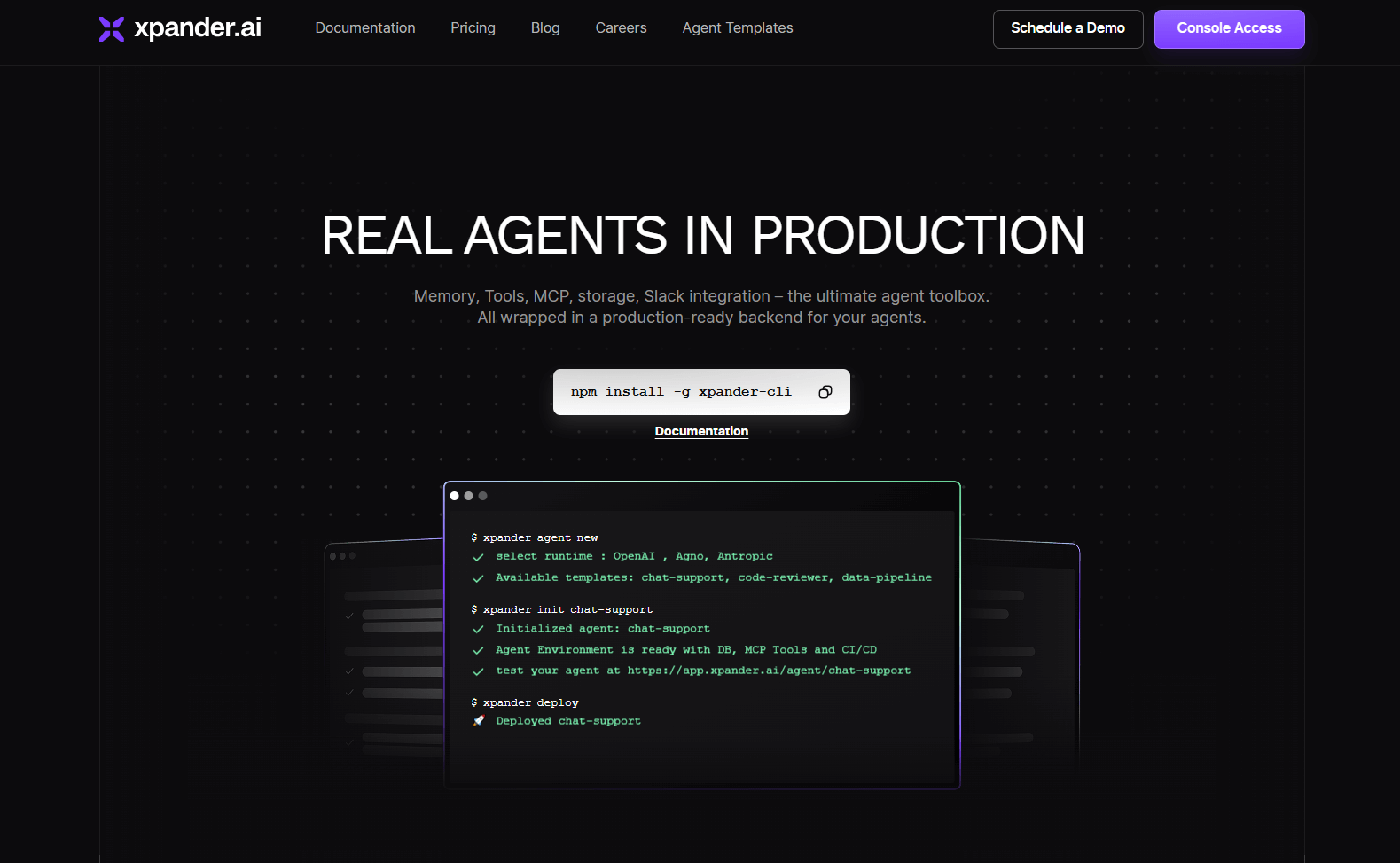
What it actually does: xpander.ai is a Backend-as-a-Service specifically designed for AI agents. Think of it as AWS for AI—it handles the infrastructure complexity while you focus on agent logic.
Key Features (Verified):
- Multi-agent orchestration and collaboration
- Built-in memory and state management
- Integration with Slack, Teams, and webhooks
- 98% success rate in multi-step tasks (compared to 24% with traditional approaches)
- Both cloud and self-hosted deployment options
Real Talk: This platform claims to reduce AI agent development lifecycle by 90%, which sounds like marketing speak, but the underlying architecture is solid. Independent testing shows AI agents achieve a 98% success rate in multi-step tasks when using their Agent Graph System.
Best For: AI engineers building complex agent systems who want to avoid infrastructure headaches.
Limitations: Still relatively new (launched in 2024), so community support is limited compared to established platforms.
2. Clarifai — Production-Ready Computer Vision

What it actually does: Clarifai provides a full stack AI platform for developers and teams to quickly get vision, language and audio AI into production.
Key Features (Verified):
- Pre-trained models for computer vision, NLP, and audio
- Custom model training capabilities
- Free API tier for developers to start building
- Enterprise-grade deployment options (cloud, on-premise, hybrid)
- Award-winning computer vision technology
Real Performance: Users report reliable performance for testing and small projects, with clean UI and smooth API integration. However, customer support response times could be better, and advanced features have a learning curve.
Best For: Developers who need proven computer vision capabilities without building from scratch.
Limitations: Pricing can get expensive at scale, and documentation isn't always comprehensive.
3. Replit — Collaborative Development Environment

What it actually does: Browser-based IDE with real-time collaboration features, supporting 50+ programming languages.
Key Features (Verified):
- Zero-setup development environment
- Real-time multiplayer coding
- Built-in hosting and deployment
- AI-powered code completion (Replit AI)
- Integration with GitHub
Real Talk: Perfect for prototyping AI projects and team collaboration, especially for distributed teams. The instant setup is genuinely game-changing for getting started quickly.
Best For: Teams needing collaborative coding environments and rapid prototyping capabilities.
Limitations: Performance depends heavily on internet connectivity, and advanced projects may require migration to local development environments.
4. Supabase — Open-Source Backend Alternative

What it actually does: Open-source Firebase alternative providing database, authentication, storage, and real-time subscriptions.
Key Features (Verified):
- PostgreSQL database with real-time capabilities
- Built-in authentication with social providers
- File storage and CDN
- Serverless functions (Edge Functions)
- Open-source with self-hosting options
Real Performance: Developers consistently praise its developer experience and documentation quality. The PostgreSQL foundation makes it more powerful than Firebase for complex queries.
Best For: AI applications needing robust backend services with database flexibility.
Limitations: Smaller ecosystem compared to Firebase, and some advanced features require PostgreSQL knowledge.
5. TensorFlow — Machine Learning Foundation

What it actually does: Open-source machine learning framework for building, training, and deploying ML models across platforms.
Key Features (Verified):
- Support for neural networks and deep learning
- TensorFlow Lite for mobile/edge deployment
- TensorBoard for model visualization
- Distributed training capabilities
- Production deployment with TensorFlow Serving
Real Talk: Still the industry standard for serious ML work, despite PyTorch gaining ground in research. The ecosystem is massive, but the learning curve is steep.
Best For: ML engineers building production-grade models and researchers needing comprehensive ML tools.
Limitations: Complex setup and steep learning curve for beginners. Documentation can be overwhelming.
6. GitHub Copilot — AI-Powered Code Completion

What it actually does: AI assistant that provides intelligent code suggestions and completions directly in your IDE.
Key Features (Verified):
- Context-aware code completions
- Support for 12+ programming languages
- Integration with popular IDEs (VS Code, JetBrains, etc.)
- Chat interface for code explanations
- CLI tool for terminal assistance
Real Performance: Genuinely increases coding speed by 30-50% for most developers. Particularly strong with common patterns and boilerplate code.
Best For: Any developer looking to increase coding productivity and learn new patterns.
Limitations: Suggestions aren't always optimal, and it can create dependency on AI assistance for basic tasks.
7. Kaggle — Data Science Learning Platform

What it actually does: Platform for data science competitions, learning, and collaboration with free GPU access.
Key Features (Verified):
- Free access to GPUs and TPUs
- Massive dataset repository
- Jupyter notebook environment
- Global data science competitions
- Learning courses and certifications
Real Performance: Excellent for learning and experimentation. The free compute resources are genuinely valuable for students and hobbyists.
Best For: Data scientists learning new techniques, prototyping models, and accessing compute resources.
Limitations: Not suitable for production workloads. Notebook sessions have time limits and computational constraints.
How to Choose the Right Tool
| Need | Primary Question | Recommended Tool | Why This Choice |
|---|---|---|---|
| AI Agent Development | Do you need backend infrastructure for AI agents? | xpander.ai | Purpose-built for agent workflows |
| Computer Vision | Need pre-trained vision models quickly? | Clarifai | Production-ready models with minimal setup |
| Team Collaboration | Is remote coding collaboration essential? | Replit | Real-time multiplayer development |
| Backend Services | Want Firebase alternative with more control? | Supabase | Open-source flexibility with great DX |
| Custom ML Models | Building models from scratch? | TensorFlow | Industry standard with comprehensive tools |
| Coding Productivity | Want to code faster with AI assistance? | GitHub Copilot | Proven productivity gains |
| Learning & Experimentation | Need free compute for data science? | Kaggle | Free resources with learning community |
The Reality Check
Here's what the marketing materials won't tell you:
xpander.ai is promising but new—expect some rough edges and limited community resources.
Clarifai works well but gets expensive quickly. Budget accordingly for production use.
Replit is fantastic for collaboration but you'll eventually need local development for serious projects.
Supabase has great developer experience but requires PostgreSQL knowledge for advanced features.
TensorFlow remains powerful but PyTorch is often easier for research and experimentation.
GitHub Copilot boosts productivity but can create over-dependence on AI suggestions.
Kaggle is excellent for learning but completely unsuitable for production workloads.
Final Recommendation
Your choice should align with your immediate pain point:
- Stuck on AI agent infrastructure? → xpander.ai
- Need vision AI fast? → Clarifai
- Team can't collaborate effectively? → Replit
- Want backend control without complexity? → Supabase
- Building custom ML from scratch? → TensorFlow
- Coding feels too slow? → GitHub Copilot
- Learning data science on a budget? → Kaggle
There is no single “best” AI development platform, only the best fit for your current bottleneck. In 2026, successful teams bias toward tools that shorten feedback loops, reduce glue code, and let engineers stay focused on product logic instead of infrastructure decisions. Agent backends only pay off when you are already shipping multi step workflows. Backend platforms matter when data models and auth start slowing you down. Code assistants deliver value when they save time without hiding important decisions.
Start by identifying what is slowing you down right now, not what you might need six months from now. Choose the tool that removes that friction with the least long term lock in. Pilot narrowly, measure time saved, and expand only after the tool proves it can survive real usage. The teams that win with AI are not the ones with the most tools, but the ones that make fewer, better choices and move forward with confidence.
