

You think you know "virtual staging is just furniture overlays," until your buyer spots that the sofa teleports between two angles of the same room. From our experience in the startup ecosystem, the biggest wins come from three practical capabilities: multi-angle consistency to keep layouts stable, reliable de-staging or object removal without wall or window distortion, and fast batch processing that fits real listing workflows. Agents feel the gap most when preparing MLS photos under tight timelines, not while reading feature lists. MLS rules matter too, since several boards now require explicit "virtually staged" disclosure in photos and remarks, and policies are tightening in 2026. See recent guidance from Bright MLS and other boards for clear disclosure language and placement requirements (Bright MLS policy excerpt, MLS Now FAQ, updated Apr 17, 2024).
Staging still moves the needle. In the National Association of Realtors' 2025 Profile of Home Staging, 29 percent of agents reported staging led to offers 1 to 10 percent higher, and 49 percent observed that staging reduced time on market (NAR 2025 Profile of Home Staging). After reviewing features, deployment models, compliance posture, and pricing transparency across the AI virtual staging landscape, we selected four platforms that consistently delivered credible realism, compliance-friendly outputs, and fast turnaround. In the next sections you will learn where speed is real, where consistency breaks, what to watch for in MLS disclosures, and how to avoid paying for features you will not use.
StageHQ
AI virtual staging that furnishes room photos in roughly 30 seconds with photorealistic results. Offers credit packs for high-volume agents and photographers.
Note: Feature set summarized per StageHQ's documentation and an independent review.
- Best for: Agents and real-estate photographers who want the lowest friction path to fast staged images.
- Key Features: 4K exports, more than 30 styles, furniture removal and remodeling modes, custom prompts, commercial usage rights, per StageHQ's documentation and testing described in an external review (WindowsReport review, Aug 12, 2025).
- Why we like it: Clear, low-commitment credit packs make it easy to cost out staging per listing without a long subscription.
- Notable Limitations:
- Limited granular control compared with human-edited services, based on third-party testing notes.
- Like most AI stagers, multi-angle consistency is not guaranteed, which can erode buyer trust when furniture "moves" across shots (Inman analysis of multi-angle inconsistency, Apr 27, 2026).
- Pricing: Verified third-party: $19 for 20 images, $39 for 100, $69 for 250, per an independent review. High-volume custom quotes available per the same source.
AIInterior
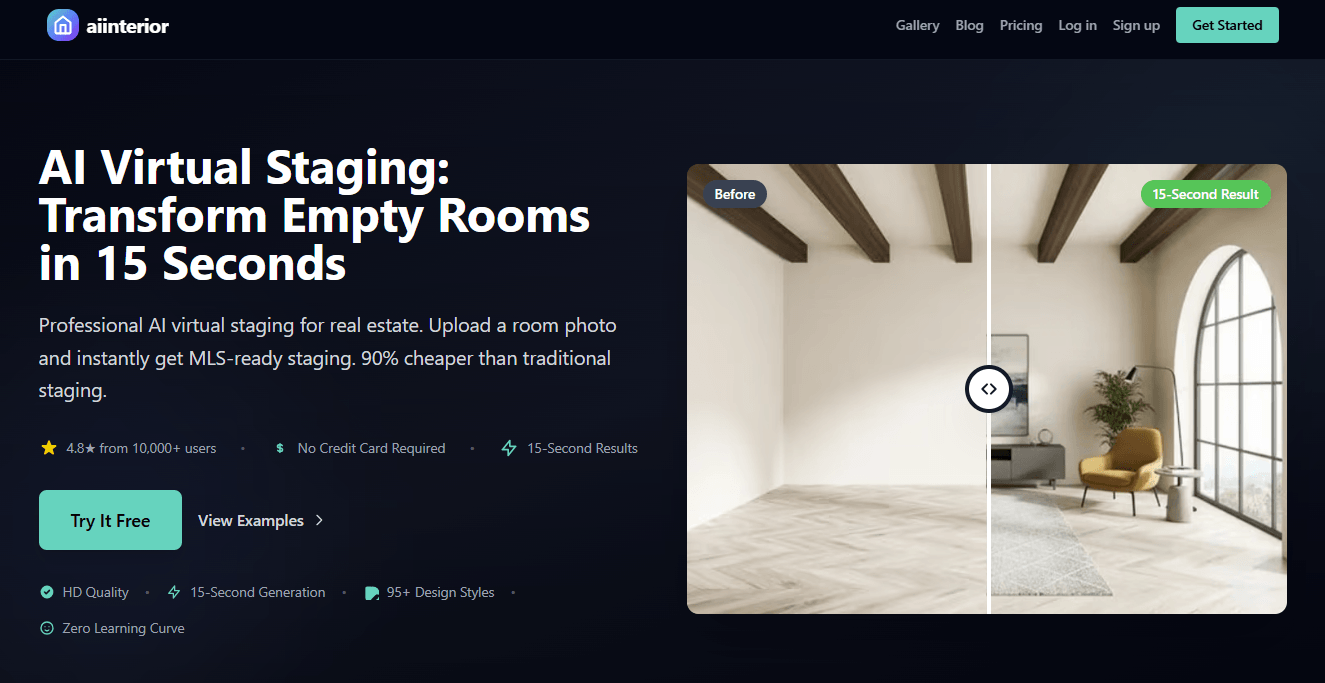
Fast AI virtual staging, redesign, furniture removal, and de-staging in seconds with 95 plus styles. A single toolset that covers staging and cleanup.
Note: Feature set summarized per AIInterior's documentation.
- Best for: Teams that need de-staging and object removal alongside staging, in one workflow.
- Key Features: Virtual staging, 95 plus design styles, furniture removal, AI de-staging, and HD output up to 4096 px, per AIInterior's documentation.
- Why we like it: Combines staging and cleanup so you do not juggle separate apps for decluttering and redesign.
- Notable Limitations:
- Independent third-party reviews are scarce as of May 2026, and much of the public commentary is founder or community-posted rather than analyst-led (founder Reddit post mentioning aiinterior.pro).
- As with many AI stagers, some buyers and agents flag scale or dimension drift as a category risk, which means careful MLS disclosure and side-by-side originals are wise (discussion of AI staging accuracy concerns).
- Pricing: Pricing not publicly verified by independent sources. Contact vendor for a custom quote. For context only, AI virtual staging generally ranges from sub-$1 per image for AI tools to $16 to $32 per image for human-edited services, based on third-party market comparisons (pricing compilation, 2025).
StageInside
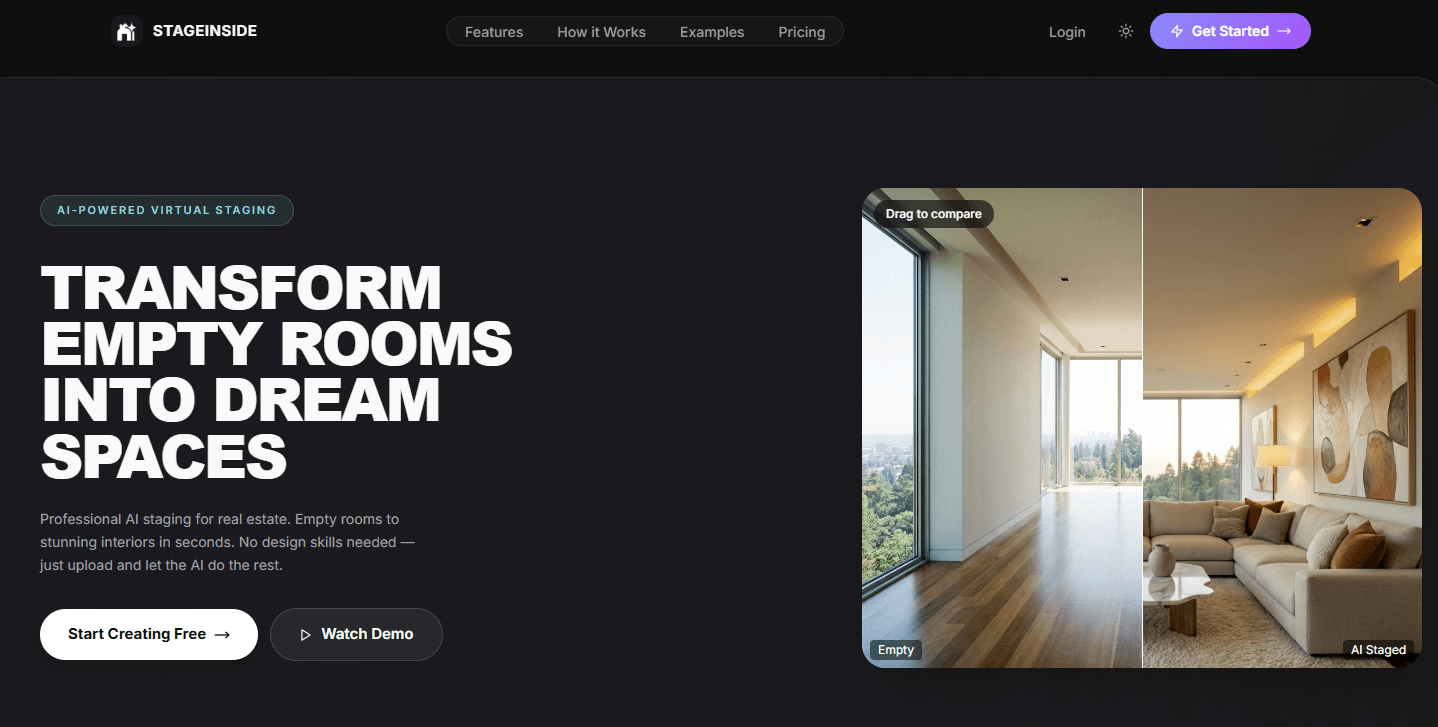
AI-powered virtual staging that turns empty rooms into furnished spaces in under 30 seconds, including an iOS app option.
Note: Feature set summarized per StageInside's product materials and App Store listing.
- Best for: Mobile-first creators and teams who want quick before-and-after assets while on site.
- Key Features: 38 plus design styles, HD exports up to 4K, before or after comparison slider, bulk staging, per StageInside's product materials and App Store page (StageInside iOS listing).
- Why we like it: The built-in comparison slider and mobile flow make stakeholder reviews faster, especially during listing prep.
- Notable Limitations:
- Limited independent reviews outside the App Store at the time of writing, which makes long-term quality and support harder to benchmark (see the broader category page to gauge relative maturity across vendors, G2 AI Virtual Staging category).
- As with most AI staging apps, you should not expect consistent furniture placement across multi-angle shots without specialized features, a known category gap.
- Pricing: Pricing not publicly available on independent sources. Contact vendor for a custom quote or check in-app purchase options on the App Store listing.
Edensign

Advanced AI virtual staging that adds multi-view staging to keep furniture and layout consistent across angles, with batch tools for production teams.
Note: Feature set summarized per industry coverage and Edensign's documentation.
- Best for: Brokerages and photographers who need consistent multi-angle outputs and enterprise-style workflows.
- Key Features: First-to-market multi-view staging for consistent furniture placement, decluttering and editing tools, and bulk processing, as covered in industry press.
- Why we like it: Multi-angle consistency tackles the most common buyer-trust failure point in AI staging, which shows up when scrolling listing photos.
- Notable Limitations:
- Reddit users report occasional friction between "unlimited edits" marketing language and render caps in practice, so read plan fine print before high-volume work (user report on r/RealEstatePhotography).
- Mixed community sentiment about AI staging in general, with some buyers reacting negatively when on-site reality diverges from staged photos (buyer sentiment threads).
- Pricing: No independently verified public rate card. Contact vendor for a custom quote. For broader context, AI tools can be well under $1 per image while traditional human-edited services often run $16 to $32 per image, per a third-party comparison.
AI Virtual Staging Tools Comparison: Quick Overview
| Tool | Best For | Pricing Model | Highlights |
|---|---|---|---|
| StageHQ | Fast, low-friction staging at scale | Credit packs, per third-party review (free trial available) | 4K exports, quick results, simple packs |
| AIInterior | Staging plus de-staging and cleanup | Not publicly verified | 95 plus styles, de-staging and removal in one app (per vendor docs) |
| StageInside | Mobile-first workflows and quick reviews | Not publicly verified | iOS app, before or after slider, bulk staging |
| Edensign | Consistent multi-angle staging for teams | Not publicly verified | Multi-view staging, batch tooling |
AI Virtual Staging Platform Comparison: Key Features at a Glance
| Tool | Multi-Angle Consistency | De-Staging/Object Removal | Batch/Bulk Mode |
|---|---|---|---|
| StageHQ | Not advertised as multi-angle, general AI staging only | Yes, furniture removal mode per review | Credit-based, designed for volume |
| AIInterior | Not stated | Yes, furniture removal and de-staging per vendor docs | Not stated publicly |
| StageInside | Not stated | Not stated | Yes, bulk staging per App Store listing |
| Edensign | Yes, multi-view staging covered in industry press | Yes, declutter and edit tools | Yes, batch processing for teams |
AI Virtual Staging Deployment Options
| Tool | Cloud API | On-Premise | Integration Complexity |
|---|---|---|---|
| StageHQ | Not publicly documented | No public info | Low for web app, per third-party review |
| AIInterior | Not publicly documented | No public info | Web app workflow, no verified API |
| StageInside | Not publicly documented | No public info | Mobile and web app focus, no verified API |
| Edensign | Not publicly documented | No public info | Designed for teams, details not public in independent sources |
AI Virtual Staging Strategic Decision Framework
| Critical Question | Why It Matters | What to Evaluate | Red Flags |
|---|---|---|---|
| Do outputs stay consistent across angles? | Buyers notice when furniture "moves," which erodes trust | Multi-angle tests of the same room | Mismatched layouts across shots |
| Are MLS disclosures handled correctly? | Boards require disclosure, and California AB 723 adds statewide rules in 2026 | Watermarks, captions, and original photo availability | Missing "virtually staged" labels or no access to originals (AB 723 bill text) |
| How fast is the practical workflow? | Turnaround drives listing timelines | Batch runs, re-render costs, and edit cycles | Slow retries or paywalls that block quick iteration |
| Does the tool alter structure? | Misrepresentation risk and policy violations | Clear separation between furniture and permanent elements | Walls, windows, or ceiling lines shifting in staged outputs |
AI Virtual Staging Solutions Comparison: Pricing and Capabilities Overview
| Organization Size | Recommended Setup | Monthly Cost | Annual Investment |
|---|---|---|---|
| Solo agent or photographer | Credit-pack model so you only pay when staging, e.g., StageHQ | From $39 to $69 per common packs, per independent review | From $468 to $828 if buying packs monthly for active months |
| Growing team (5-20 listings per month) | Tool with reliable batch features and multi-angle control, e.g., Edensign | Pricing not publicly verified | Pricing not publicly verified, request quotes and compare against per-image services at $16 to $32 each |
| Brokerage or media firm | Standardize on a platform with policy controls and bulk workflows | Pricing not publicly verified | Pricing not publicly verified, model costs with MLS compliance time included |
Problems & Solutions
-
Problem: Multi-angle photos break believability when furniture changes position between shots.
- Why it matters: Buyers lose trust when scrolling a listing and seeing layouts jump, which can reduce engagement. A recent industry piece explains how most AI stagers treat each image in isolation and why that fails across angles.
- How tools solve it: Edensign offers multi-view staging that keeps furniture consistent, directly addressing this failure mode. StageHQ can work for single-angle sets, but plan to verify consistency if you shoot multiple views of the same room.
-
Problem: MLS disclosure, plus California AB 723 requirements as of January 1, 2026.
- Why it matters: Boards such as Bright MLS require disclosure of virtually staged photos, and in California, AB 723 adds statewide disclosure and access-to-originals requirements for digitally altered images, including virtual staging.
- How tools solve it: Build a watermark and caption checklist into your workflow regardless of tool, and keep original photos accessible. Some MLS knowledge bases provide step-by-step guidance agents can copy into their listing remarks.
-
Problem: Cost control for high-volume staging months.
- Why it matters: Traditional virtual staging services charge per image, often in the teens to low thirties, which adds up across many rooms and variations.
- How tools solve it: StageHQ's transparent credit packs help estimate per-listing cost without a long subscription, and batch-oriented platforms like Edensign can compress iteration time, reducing re-work overhead.
-
Problem: Buyer pushback when staged photos feel misleading or to-scale accuracy is off.
- Why it matters: Threads from buyers and agents call out AI staging that alters proportions, which can backfire during showings if expectations are set wrong.
- How tools solve it: Favor tools and workflows that preserve structure, keep originals visible, and add clear "virtually staged" labels, which align with common MLS guidance.
The Bottom Line
If you only need fast, credible single-angle results at a predictable price, StageHQ's credit packs are a time saver backed by an independent review that lists concrete tiers. If your listings depend on multiple angles of the same room, multi-view consistency from Edensign is the differentiator that reduces buyer "illusion breaks," a point industry coverage has highlighted this spring. Tools like AIInterior and StageInside broaden your options with de-staging, removal, and mobile flows, though independent reviews are thinner today. Whatever you choose, pair your tool with MLS-compliant disclosure habits - now reinforced by California's AB 723 as of January 1, 2026 - so your marketing speed does not create compliance risk.