
You think you know your coverage until a critical play falls outside the frame and your client asks why. Working across different tech companies, we have learned that real gains come from three specifics, not slogans, audio waveform based auto sync for multi-camera clips, GPU-accelerated optical flow blending for 360 and VR, and distortion correction that preserves straight lines. With AR and VR hardware shipments rebounding, stitching mistakes are getting costlier, and expectations higher, a dynamic analysts expect to continue as the broader XR market grew 41.6% in 2025 to reach 14.5 million units, with headset shipments projected to rebound strongly in 2026, according to IDC reporting summarized by Telecompaper and Business Wire.
The broader immersive creation market is expanding, with software segments projected to grow at a mid-20s CAGR through 2030 per Grand View Research's immersive content creation outlook. This guide covers three tools that reliably address today's most common needs - 180-degree sports capture, real-time 360 production, and quick audio track replacement. Below, you will learn where each excels, limitations called out in public discussions, and how to choose confidently.
ActionStitch
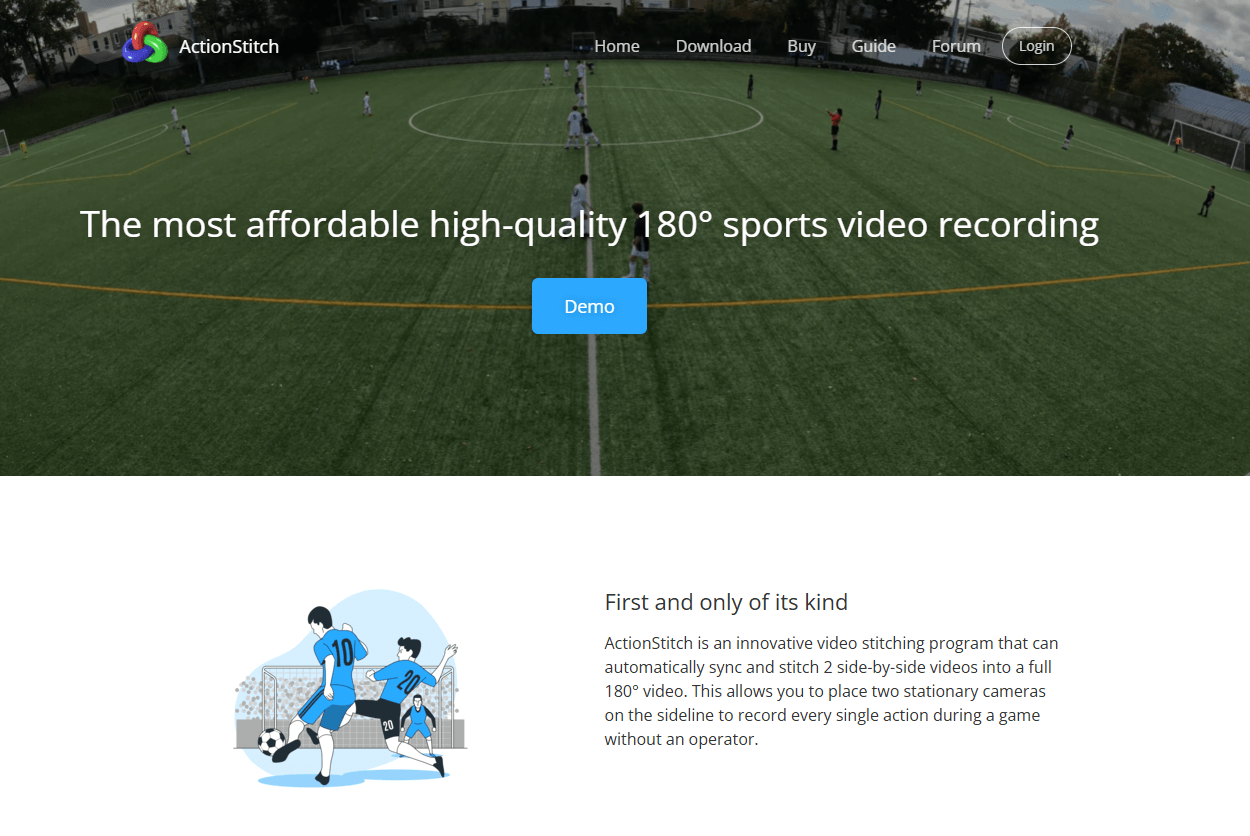
Desktop software that automatically syncs and stitches two side-by-side action camera videos into a full 180-degree field. Includes an in-browser player with zoom, pan, and a perspective viewing mode.
Best for: Schools, clubs, and teams that want full-field sports coverage using two commodity action cameras rather than a single proprietary unit.
Key Features:
- Automatic left and right video sync using audio matching, with manual adjustment when needed, per vendor documentation.
- Camera calibration profiles for popular GoPro and DJI models, plus manual calibration controls, per vendor documentation.
- Open source web player that supports zoom, pan, and perspective mode to review plays, per vendor documentation.
Why we like it: It turns two fixed cameras into a reliable single 180-degree view, without pushing you into a hosting subscription. The web player's perspective view makes post-game analysis faster.
Notable Limitations:
- Long renders on CPU for match-length footage are reported by users, for example a community thread noting multi-hour runs for full games on consumer hardware (r/gopro discussion).
- A few macOS launch or setup hiccups have been mentioned by individuals, typically resolved with basic troubleshooting (same thread's follow-ups).
- Best results require matching resolution and frame rate across both cameras, and near-simultaneous start times, per vendor documentation.
Pricing: Pricing not publicly available. The site mentions a time-limited trial and recent beta builds, confirm current terms with the vendor.
StereoStitch
GPU-accelerated stitching technology for panoramic and 360 video with HDR blending, distortion correction, and real-time pipelines.
Best for: Live 360 producers, robotics and inspection, stadium scale installs, and studios that need low-latency, high-resolution output.
Key Features:
- Real-time high-resolution stitching, with public claims of stereo 8K at 30 fps on Nvidia RTX 3090 class hardware reported in press materials (PRWeb coverage).
- HDR exposure fusion and multi-view blending for challenging lighting, per vendor documentation.
- De-warping and fisheye distortion correction for wide-angle inputs, per vendor documentation.
Why we like it: When latency matters, this is one of the few options that talks credibly about 8K live or near-live stitching with GPU optimization, which can remove entire steps from your on-site pipeline.
Notable Limitations:
- Real-time performance targets assume high-end GPUs, which adds hardware cost and power requirements.
- No public self-serve pricing, plan for a sales process and custom licensing.
- Precise calibration is often necessary to avoid seams and parallax artifacts, a common pain point reflected across stitching workflows in user forums (example category issues in r/360Cameras).
Pricing: Pricing not publicly available. Contact StereoStitch for a custom quote. For context, comparable real-time GPU stitching components in embedded markets can list in the thousands per license (RidgeRun Jetson Stitcher price page).
Stitch (audio replacement)
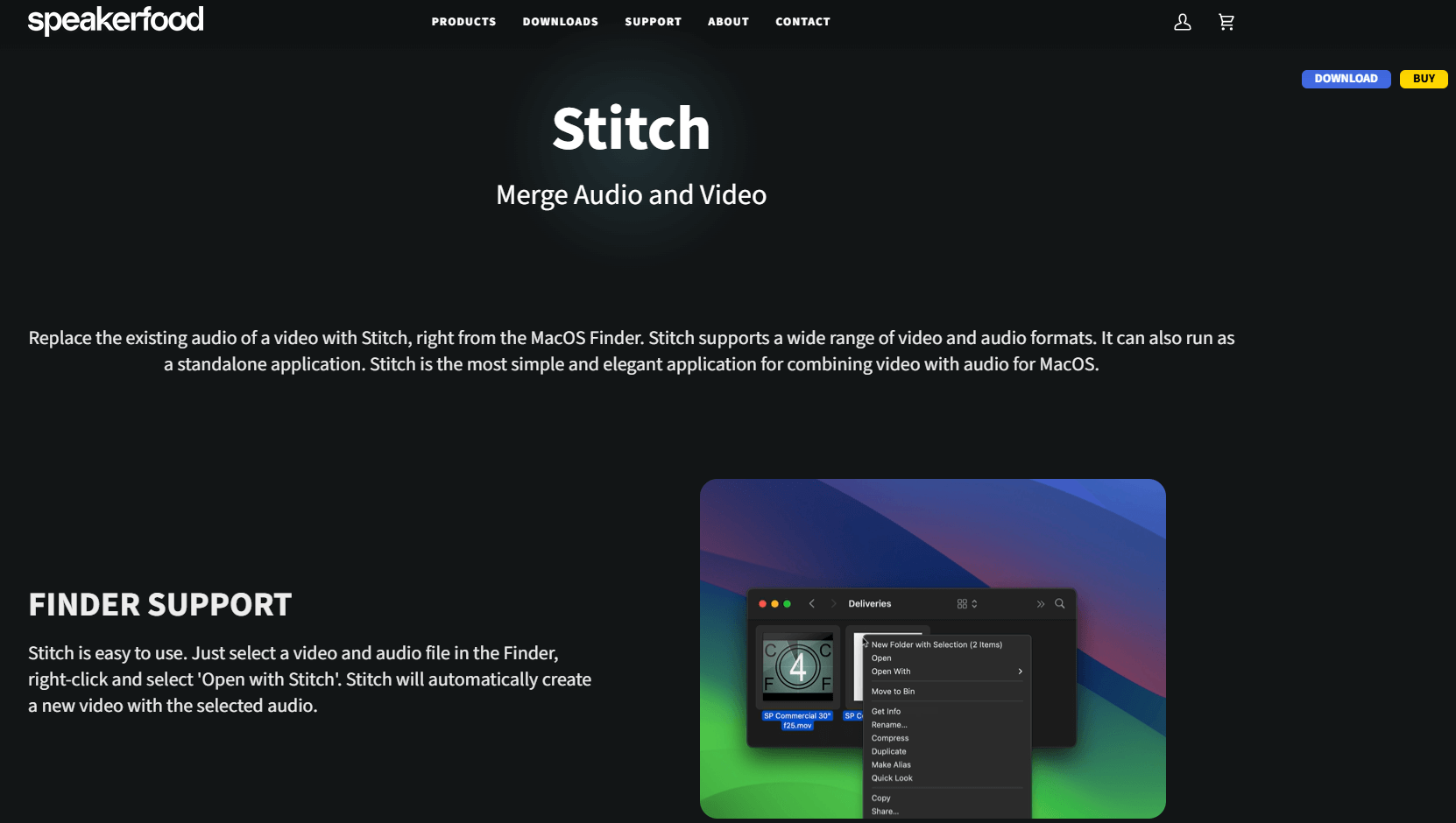
Mac app that replaces the audio of a video with a selected audio file from Finder or via simple drag and drop. Focused, quick, and made for handoff deliverables.
Best for: Editors, podcasters, and social teams who need to swap scratch audio with a final mix fast, without opening a full NLE.
Key Features:
- Finder integration to combine a chosen video and audio file into a new video, per vendor documentation.
- Broad format compatibility for common video and audio containers, per vendor documentation.
- Simple standalone app option if you prefer drag and drop, per vendor documentation.
Why we like it: It saves time on client revisions, especially when you only need to swap a soundtrack and export, not rebuild a timeline.
Notable Limitations:
- macOS only, no Windows version, per vendor documentation.
- Narrow scope, it replaces audio tracks but does not offer timeline editing or mixing, so complex changes still require an editor.
- Power users note free command-line alternatives like FFmpeg can achieve track replacement, with plenty of community guidance if you are comfortable with Terminal (editor community thread).
Pricing: Per vendor documentation, a one-time purchase of $19 with a 30-day trial.
Stitch Video Tools Comparison: Quick Overview
| Tool | Best For | Pricing Model | Highlights |
|---|---|---|---|
| ActionStitch | 180-degree sports capture with two action cams | Not publicly available (time-limited trial mentioned) | Audio-synced dual-cam stitching, open source web player |
| StereoStitch | Live 360, robotics, stadium and broadcast | Custom license | GPU real-time pipelines, HDR, distortion correction |
| Stitch (audio replacement) | Fast audio swap for deliverables on Mac | One-time $19, per vendor documentation (30-day trial) | Finder integration, broad format support |
Stitch Video Platform Comparison: Key Features at a Glance
| Tool | Auto Sync | Real-Time Stitching | HDR/Distortion Tools |
|---|---|---|---|
| ActionStitch | Audio waveform sync | No, CPU render | Distortion handling through calibration, per docs |
| StereoStitch | Yes, in workflow | Yes, GPU driven | Yes, HDR and de-warping |
| Stitch (audio replacement) | N/A | N/A | N/A |
Stitch Video Deployment Options
| Tool | Cloud API | On-Premise | Air-Gapped |
|---|---|---|---|
| ActionStitch | No public API | Desktop app | Yes, offline capable |
| StereoStitch | Not stated | Workstation or on-prem GPU rigs | Likely, subject to license |
| Stitch (audio replacement) | No | Desktop app | Yes, offline capable |
Stitch Video Strategic Decision Framework
| Critical Question | Why It Matters | What to Evaluate | Red Flags |
|---|---|---|---|
| Do you need live output or can you render after the event? | Dictates GPU needs and software class | Latency tolerance, GPU availability, operator skill | Assuming "real time" without confirming hardware class or scene complexity |
| What camera geometry will you feed the stitcher? | Alignment drives seam quality | Lens type, overlap, mount rigidity, calibration options | Mixing frame rates or sensor formats between cams without planning |
| Who owns hosting and review workflows? | Impacts total cost and portability | Browser player features, S3 or drive export, rights | Vendor lock-in for playback or exports you cannot move |
| Are you replacing audio only or editing picture too? | Avoids overbuying | Finder swap app vs full NLE | Paying for a full editor when you only need remuxing |
Stitch Video Solutions Comparison: Pricing & Capabilities Overview
| Organization Size | Recommended Setup | Monthly Cost | Annual Investment |
|---|---|---|---|
| Solo creator or podcaster | Stitch (audio replacement) for quick swaps | One-time $19, per vendor documentation | One-time purchase |
| School or club team | ActionStitch with two action cams and tripod mount | Software pricing not public, hardware varies | Software plus cameras, confirm with vendor |
| Live events or broadcast | StereoStitch on a high-end GPU workstation | Custom license, hardware budget for RTX-class GPU | License plus GPU, contact vendor for quote |
Problems & Solutions
-
Problem: Consumer 360 stitchers can choke on long recordings or split files, causing missing segments or failed exports.
Solution with ActionStitch: For fixed-position sports coverage, ActionStitch's dual-camera approach avoids six-lens workflows and gives you manual checks after audio sync, which users find more predictable for match-length captures. Community reports highlight file splitting and export quirks in other tools, such as missing early segments or GPU-specific failures in common stitchers, issues discussed in threads about truncated long recordings and GPU export errors (Insta360 truncation case, export failures with newer GPUs). -
Problem: You need 360 output close to live for a venue feed, which typical CPU renderers cannot meet.
Solution with StereoStitch: StereoStitch focuses on GPU-accelerated pipelines for real-time, with public claims of stereo 8K at 30 fps on an RTX 3090 class rig, a profile that aligns with the growing, hardware-led momentum in AR and VR platforms reported by IDC and others. -
Problem: A client sent a corrected audio mix, and you only need to replace the track without rebuilding the edit.
Solution with Stitch (audio replacement): On macOS, Stitch lets you swap audio from Finder quickly. If budgets are tight and you are comfortable with Terminal, community threads confirm FFmpeg can also remux audio on Mac for free, which helps set expectations for what a focused app speeds up versus DIY paths.
The Bottom Line on Stitch Video Platforms
If you are capturing a field with two action cameras, ActionStitch gives you straightforward 180-degree results and control over where your files live. For live or near-live 360, plan a GPU workstation and talk to StereoStitch early about your exact scene complexity and target resolution, then budget accordingly - a tradeoff that mirrors the broader AR and VR market's hardware-driven growth curve cited in recent IDC-based coverage. If you only need to swap audio, a light utility like Stitch will save hours compared with launching a full editor. Start with your latency needs, then map features, hardware, and costs to them.