
Four checks before you move the backlog: is the agent optional or the default assign, can you import the issues, does the seat include guests and private teams, and can you self-host or stay next to the repo. The method is on How we review tools.
Linear Agent can write the first pass now. Since 11 June 2026 you assign an issue to Linear, it runs Claude Code or Codex in the cloud, and it comes back with a diff. Linear says that loop clears roughly 30% of its own incoming bugs before an engineer picks them up. Coding sessions sit on Basic and above, need a GitHub connection, and spend prepaid AI credits.
The launch promo is described two ways. The June 11 coding-sessions doc says every Basic, Business, and Enterprise workspace received a $20-per-user pool. The AI credits FAQ limits that grant to existing Business and Enterprise workspaces, plus anyone who upgrades to a paid plan within 30 days of launch. Use the FAQ when you budget credits. Confirm the remaining balance in Settings.
If you bought Linear as a keyboard-first issue tracker, not a coding agent on usage credits, the names below still do that original job. Shortcut is the closest product-and-eng swap. Jira is the heavier enterprise option when you need more complex workflows, permissions, and administration. Plane is the Linear-shaped self-host. GitHub Issues stays in the repo. Asana and ClickUp are the cross-team boards.


You are on Linear


Shortcut
Shortcut is the closest Linear-shaped product-and-eng tracker still alive. Stories, Epics, Iterations, and Roadmaps sit in one workspace, with GitHub, Slack, and Figma hooked in, plus an AI agent and an MCP server. It is what a lot of teams reached for when they wanted Linear's speed without living in Atlassian's admin tree.
Best for: Product and engineering teams that want stories, iterations, and a roadmap without Jira's workflow surface.
Key features:
- Stories, Epics, Iterations, and Roadmaps in one product-and-eng workspace.
- GitHub, Slack, and Figma integrations, plus an MCP server.
- AI agent collaboration inside Shortcut.
Why we like it: The objects map. Iterations stand in for cycles. The GitHub hook is first-class. You are not buying a work OS and then turning half of it off.
Notable limitations:
- Free caps you at 10 users and 1 team. Team still tops out at 5 teams.
- SSO and SCIM are an add-on on Business, included on Enterprise.
- It is hosted only. There is no self-host plan.
Pricing:
- Free is $0, for up to 10 users.
- Team is $8.50 per user per month billed yearly.
- Business is $12 per user per month billed yearly.
- Enterprise is Custom.
Will Shortcut feel like Linear if we came from cycles and a command menu? Close on the objects. Iterations, epics, and a keyboard-heavy product-and-eng workspace are the point. The command menu will not be Linear's. Try the 14-day full-access trial before you move a live cycle.
Jira

Jira is the heavier enterprise option when you need more complex workflows, permissions, and administration. Workflows, schemes, and an admin model that survives 50 teams. It is also the product most Linear buyers left. Put it on the list when you need that admin, or when the company already pays Atlassian. Skip it if you want the keyboard back. See our Jira alternatives if you are walking the other way.
Best for: Teams that need Jira-grade workflows, permissions, and Atlassian adjacency, and will trade speed for that control.
Key features:
- Issues, boards, and roadmaps with configurable workflows.
- A permission and scheme model that holds up past a handful of teams.
- The rest of the Atlassian cloud (Confluence, marketplace apps, Guard) on the same tenant.
Why we like it: When the constraint is audit, workflow, or a company standard, Jira is the honest answer. Pretending Shortcut will do that job wastes a quarter.
Notable limitations:
- It is not the speed swap. Keyboard and issue-create latency are why people left.
- Marketplace apps and Atlassian Guard (SSO/SCIM) sit on separate bills.
- Monthly Cloud uses Maximum Quantity Billing, so a mid-cycle seat spike sticks for the month.
Pricing:
- Free is $0, for up to 10 users.
- Standard is $8.60 per user per month for seats 1 to 100 on monthly Cloud, per Atlassian's Cloud licensing page. Later seat bands are cheaper per user. Premium and the annual math sit in the Cloud calculator. Confirm the quote at checkout.
- Enterprise is Custom, annual only.
Plane

Plane is the Linear-shaped tracker you can run yourself. Work items, cycles, and modules, with a Linear importer on every plan including Free. Cloud starts at $0. Pro is the execution upgrade. Business adds governance. Self-host is a vendor-supported path.
Best for: Teams that want Linear-shaped cycles and work items, with a self-host option or a cheaper Cloud seat.
Key features:
- Work items, cycles, and modules, with a command palette (Power K).
- A Linear importer on Free, Pro, and Business, cloud or self-host.
- Wiki, dashboards, and AI credits that scale with the plan.
Why we like it: The importer is on Free, so you can test the mapping before you pay. Self-host is documented.
Notable limitations:
- Cloud Free caps seats (12 on the pricing grid). Pro is unlimited seats.
- SSO on Cloud sits on Business. Pro does not include it. Self-hosted Pro includes SSO.
- Business is a governance upgrade (workflows, intake, nested pages). Do not buy it for the same job as Pro.
Pricing:
- Cloud Free is $0.
- Pro is $6 per seat per month billed yearly. Guests are free at 5 per paid seat.
- Business is $13 per seat per month billed yearly.
- Enterprise Grid is Quote.
GitHub Issues
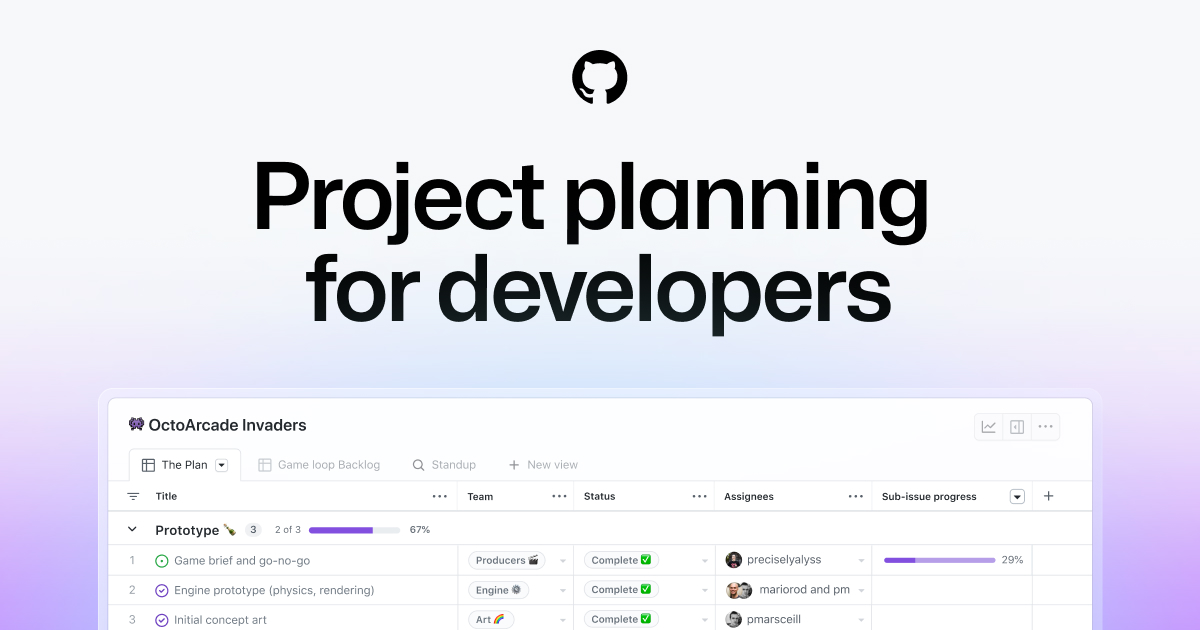
GitHub Issues is the tracker that already lives next to the pull request. Issues and Projects ship on every GitHub plan. If the repo is the system of record, a second issue database is the thing you are paying Linear to keep in sync. This is not a Linear clone. It is a refusal to keep two boards.
Best for: Teams already on GitHub whose planning can live next to the code, without a separate product tracker.
Key features:
- Issues for bugs and work, with Projects for boards, tables, and roadmaps.
- The same identity, permissions, and review flow as the repo.
- No extra vendor. The seat is the GitHub seat you already have or will buy.
Why we like it: One login. The issue and the pull request share a URL bar. For a small eng team that is the whole product.
Notable limitations:
- It is not cycles, intake, or customer requests. Product and support will feel the gap.
- Projects is flexible. It is not Linear's opinionated issue model.
- The dollars are GitHub's. There is no Issues plan. You buy Free, Team, or Enterprise.
Pricing:
- Free is $0, and includes Issues and Projects.
- Team is $4 per user per month.
- Enterprise starts at $21 per user per month.
Asana
Asana is the cross-functional board. Lists, timeline, goals, and a workload view that a marketing or ops lead will actually open. It is on this list because some Linear workspaces quietly become the company to-do list, and that is the wrong job for an issue tracker. If you are leaving Asana the other way, we keep a separate Asana alternatives page.
Best for: Cross-functional work that needs timelines, goals, and guests.
Key features:
- List, board, calendar, then timeline and Gantt on paid plans.
- Goals, portfolios, and workload on Advanced and up.
- Forms, rules, and a large integration catalog.
Why we like it: It names the other job. If non-eng has to live in the tracker, Asana is built for that, and Linear is not.
Notable limitations:
- Personal is 2 users. That is a personal list.
- There is no self-host path. Asana says it does not plan one.
- Starter and Advanced dollars are not public.
Pricing:
- Personal is $0, for 2 users.
- Starter and Advanced are paid. Features are listed; dollars appear after you pick seats. Confirm them at checkout.
- Enterprise and Enterprise+ are sales-led.
Where are Asana's Starter dollars? Not listed in public dollars. Features sit on a Purchase now path, and the number appears after you pick seats. Treat any third-party $10.99 as unverified.
ClickUp

ClickUp is the work OS with sprints available. Docs, chat, whiteboards, goals, and a task database that can look like an issue tracker if you configure it that way. Buy it when the company wants one surface. Do not buy it as a Linear clone. The click-path to a clean issue list is the product.
Best for: Teams that want docs, tasks, and sprints in one workspace, and will spend time on setup.
Key features:
- Tasks, sprints, and a large view set (list, board, Gantt, workload).
- Docs, chat, and whiteboards on the same tenant.
- A separate Brain / Everything AI add-on if you want the agent layer. That is not the seat.
Why we like it: If the brief is "replace Linear and Notion and Slack threads," ClickUp is the one product that even tries. The Unlimited seat is cheaper than Linear Basic.
Notable limitations:
- Setup is the cost. A clean Linear-like issue list is a configuration you build.
- AI is a second bill (Brain AI, Everything AI). Do not fold those into the seat math.
- Free Forever is real, and also capped on storage, spaces, and automations.
Pricing:
- Free Forever is $0.
- Unlimited is $7 per user per month billed yearly.
- Business is $12 per user per month billed yearly.
- Enterprise is Custom.
Stay on Linear or pick a lane
| If you need | Use |
|---|---|
| Cycles, a command menu, and a fast issue list, with Agent credits optional | Stay Linear |
| The closest product-and-eng tracker | Shortcut |
| Workflows, admin, and Atlassian scale | Jira |
| Linear-shaped work items you can self-host | Plane |
| The tracker already next to the pull request | GitHub Issues |
| Cross-functional lists, timelines, and guests | Asana |
| A work OS with sprints available | ClickUp |
Leave Linear when assigning the ticket starts a coding session you did not mean to bill separately. Stay when cycles, keyboard, and a fast issue list are still the product, and Agent can stay off or sit on a credit cap you actually watch.
Frequently asked questions
Do I have to leave Linear because Agent writes code?
No. Coding sessions are on Basic and above, they need GitHub, and they spend AI credits. You can keep Linear as the issue tracker and leave Agent off. Leave when the assign-to-Linear loop is the thing your team will actually click, and you do not want that extra bill.
Height shut down. What should a Linear-shaped team buy now?
Height.app is gone (shutdown in 2025). Shortcut is the closest living product-and-eng tracker on this list. Plane is the self-host shaped one. Do not treat a parked Height URL as a trial.
Can I self-host something that still imports from Linear?
Plane. The Linear importer is on all plans, including Free, cloud or self-host. That is the migration test before you pay Pro.
Is GitHub Issues enough if we already pay for GitHub?
For a small eng team whose planning can live next to the repo, yes. If product, support, or customers need a real intake and cycle model, Issues will feel thin and you want Shortcut, Plane, or to stay on Linear.
Why is Jira on a Linear alternatives list?
Because some teams outgrow a fast tracker and need workflows, audit, and an Atlassian standard. Jira is that job. It is not the speed swap. If speed is still the brief, skip it.
 Written by StartupStash
Editorial team
StartupStash is an editorial team. Each Top Tools shortlist is researched by a writer who works in that category, then checked against first-party product pages and public prices before it goes live.
 Reviewed by Manaal
Content Manager, Startup Stash
Reads the shortlist, the priced claims, and the sourcing before a piece goes live.
How this page is checked
We read first-party product pages, dated changelogs, and AWS Marketplace when a listing exists. Catalog counts stay vendor claims.
